Create categories and subcategories
A top-level category groups related activities. When you add a subcategory inside it, the top-level category becomes its parent. In this guide, you'll create two parents with two subcategories each.
You can follow along with these example names or use your own.
1. Open Categories
Sign in to ChronoTrack, then select Categories in the bottom navigation. You'll see a New category field and any categories you already have.
Open Categories →2. Create Learning as a parent category
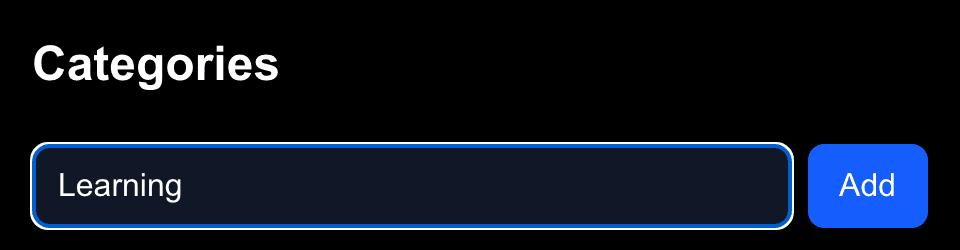
- In the New category field at the top, type Learning.
- Select Add next to that field.
- Check that Learning appears as a top-level category.
3. Add Reading under Learning
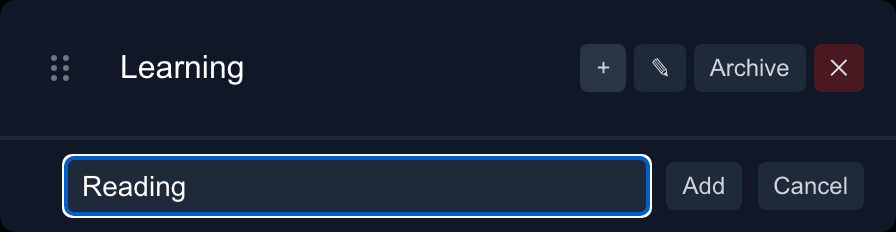
- Find the Learning row and select its + button.
- In the field that opens beneath Learning, type Reading.
- Select Add beside this subcategory field.
- Check that Reading appears inside the Learning group.
4. Add Math under Learning
- Select the + button on Learning again.
- Type Math in the subcategory field.
- Select Add beside that field.
Learning now contains two subcategories: Reading and Math.
5. Create Rotting as a second parent
- Return to the New category field at the top of the page.
- Type Rotting.
- Select Add next to that field.
Rotting appears as another top-level category, alongside Learning.
6. Add YouTube and Gaming under Rotting
- Select the + button on Rotting.
- Type YouTube, then select Add beside the subcategory field.
- Select Rotting's + again.
- Type Gaming, then select Add beside the subcategory field.
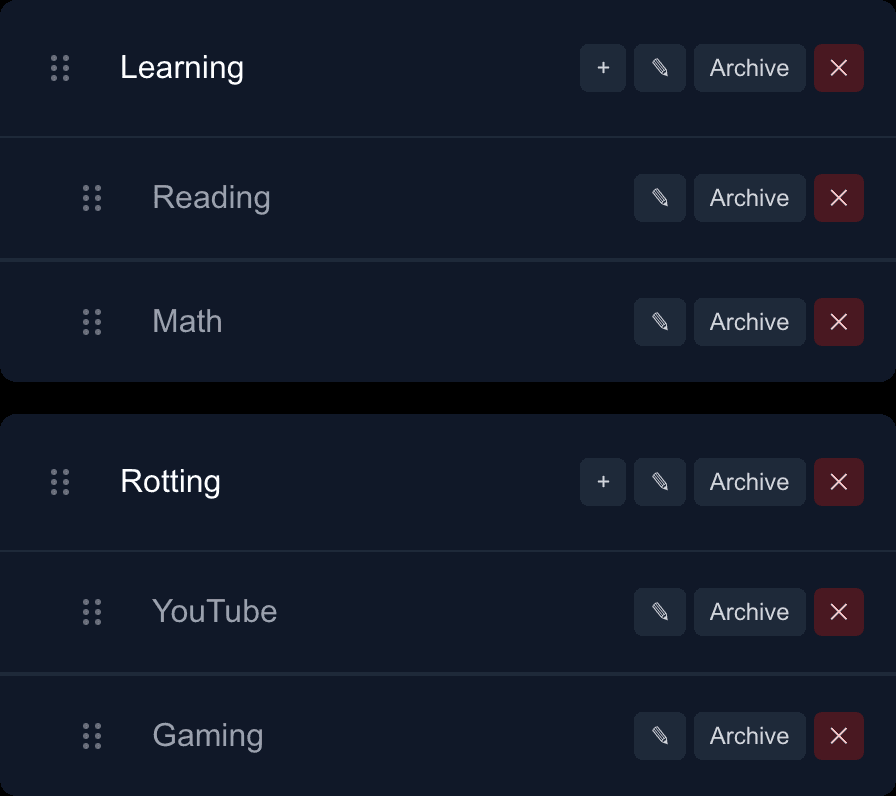
Rotting now contains YouTube and Gaming.
Your finished categories
- Learning
- Reading
- Math
- Rotting
- YouTube
- Gaming
Untracked is a built-in category for time you skip. It cannot be edited, archived, deleted, or moved, and it cannot have new subcategories.
Use New category at the top for a parent. Use the + on that parent for a subcategory.